





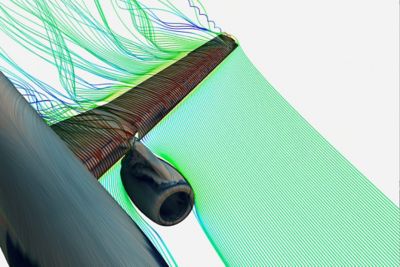


Many structural engineers face the challenge of mapping (interpolating) data — such as pressures, thicknesses or temperatures — on a finite element mesh (also known as point cloud data mapping). This often happens within companies where the analysts performing CFD or thermal analyses are not the ones performing the structural analyses. This also happens when the company is using tools from different providers.
Common data that analysts need to import as boundary conditions are pressures and temperatures. For example, think of a gas turbine where pressure and temperature results from the CFD computations need to be used for the structural analysis.
Mapping data from a text file onto a structural model
I mentioned earlier that data mapping could be a challenge. I am sure many of you will realize that, in many cases, the data to be mapped does not exactly match the structure’s shape. The cause may simply be a different unit applied for each physics. Or the models are not built using the same coordinate system and are either rotated or translated. Or even worse, the actual shapes of the models are different. Using our turbomachinery example, blades might be computed in either their “hot” (running) state or “cold” (manufactured) state. Or you might be using data from a particular CFD analysis while performing multiple design variations on the structure.
With release 13.0, we introduced the External Data capability in ANSYS Workbench. Its allows data mapping in the easiest possible way. With the recently released ANSYS 14.0, many improvements have been made, especially regarding two important factors — speed and accuracy. If you require data mapping and haven’t tested this capability yet, I would strongly encourage you to do so. The process is easy:
- Define the file to use as the data source.
- Identify the nature of the various columns such as coordinates, temperatures or pressure, etc.
- Define the proper orientation of the source data.
And that’s about all you need to do. Once the data has been mapped, you will be able to visually check the accuracy of the mapping algorithm. If you need more advanced capabilities, you can use multiple files for different bodies or transient runs, as well as analytically morph your data when your structure’s geometry does not match the shape of the imported data.
Visual checks are available to assess the quality of the mapping
Feel free to contact me or your local support team to discuss this topic further.


The data mapping from an external file is much much faster than v13. Did I mention it was darn fast. Great job Ansys on the new and improved feature. Gone are the days of *moper!
Is the capability only in workbench?
Hi Dan,
to leverage the full extent of the capability, yes you will have to use Workbench. It is a tremendous improvment over the *moper capability you may be used to in APDL.
Thanks
Pierre
Dan,
It make the transition to Workbench so much better.